In case you’re reading an RSS feed, I have updated my blog design to use a core Blogger template, and done some (slightly) artistic tweaking to get a look that I’m happy with.
Showing posts with label design. Show all posts
Showing posts with label design. Show all posts
Friday, February 11, 2011


Wednesday, November 17, 2010
Dependency injection our way
Like most everyone else practicing automated unit testing the developers at Elcom Technology have the issue to deal with of how to handle dependency injection – that is the exposure of a given object’s dependencies on other objects outside of the object so that the calling object can be made responsible for acquiring those dependent objects. In general this is most easily done by exposing said dependencies in the object’s constructor as required parameters – thus ensuring that the calling objects knows it needs to supply them when new'ing the object. So far, so good.
Recently (as of CM v7.2) we have introduced the Elcom.API library in an attempt to use the adapter pattern to present a more cogent, safer and easier to use interface to our CommunityManager.NET web CMS product. This is all well and good, but it means that to ensure testability we now have chains of dependencies throughout our application code – and declaring something a dependency of object A, when it is required by that object only to call object B, which then only needs it to call object C, creates some very smelly code.
Clearly we needed a dependency injection framework of some sort, but what should we use? Like Uncle Bob we didn’t want our DI framework to leave code smell throughout our projects. Well, we already have an object with all static/shared methods called Current. We use this to give an easy way of accessing some current state items, such as:
Dim a = Current.Configuration.ConnectionString
Dim b = Current.Configuration.EncryptionSettings
Dim c = Current.Configuration.ShortDateFormat
Dim d = Current.HttpContext
Dim e = Current.UrlId
Dim f = Current.User
Dim g = Current.UserId
Now we want to expand that to offer this sort of syntax to give easy access to services/repositories:
Dim myContSvc As Content.IContentService = Current.Service.ContentServiceGet()
That would give a simple way for object B to instantiate an IContentService without needing to declare it as a dependency to object A (but object C should still declare this in its constructor). For this to be truly useful, we have to be able to wire up the Content.Service container at runtime from either a configuration file (the default behaviour) or from code (during testing).
Sidebar: On DI Containers
To digress briefly, you will notice that the Current.Service container is a custom-built one, rather than a Unity or other DI framework’s container. The reason for this is twofold:
- We want to minimise our product’s dependencies on other products or open-source projects.
- We want developers using our product to be able to know in their IDE whether a given service can expect to be found wired up in the container, hence our use of methods like ContentServiceGet() and SecurityServiceGet().
That second reason is very important given that we are still actively developing the Elcom.API and pushing it out across all of our product’s many modules. One version of CommunityManager.NET may have very different abilities to the next one, and our partners’ developers may be dealing in multiple versions at once – hence the need for good IDE support.
Saved by the Static Property
So we like the syntax afforded us by static/shared methods, but they present problems when it comes to setting the values during testing. We looked at lots of options, including using delegates or even events, but they all made production code smelly in order to aid testing, and that didn’t sit well with us.
What we ended up doing was creating an IServiceContainer interface which declared all the types of services that could be returned, and using a factory within the Current.Service method to build a DefaultServiceContainer from a configuration file. We then provided a Current.ServiceContainer object which would contain the concrete version of IServiceContainer being used and which could be overwritten when testing.
''' <summary>
''' This holds the concrete implementation of IServiceContainer that is used. This is writable in order to help testability.
''' </summary>
''' <value>The concrete implementation of IServiceContainer that is used by Current.Service (or that is created by that function).</value>
Public Shared Property ServiceContainer As IServiceContainer = Nothing

Public Shared Function Service() As IServiceContainer
Dim currentContainer As IServiceContainer

If ServiceContainer IsNot Nothing Then
' retrieving the previously created one (or the testing one if its been written by our tests)
currentContainer = ServiceContainer
Else
Dim factory As New ContainerFactory

currentContainer = factory.ServiceContainer

' obviously we need to store/cache this and not just instantiate each time, so put it back into Current.ServiceContainer
ServiceContainer = currentContainer
End If

Return currentContainer
End Function
This approach works really well, provided you don’t mix production and testing code in the same application instance, which we never do. It doesn’t offer a generic container for developers to use for custom projects built on CommunityManager.NET – but there is nothing stopping them using Unity or other generic containers for their own purposes.
In case you’re wondering this has become a pattern we’re using across the Current object’s static/shared methods, including of course Current.HttpContext. Our caching at the moment is still fairly primitive (stick the object in the static property), but we are looking at making improvements in that area in this release too. If nothing else we have a proxy for Session objects that can be swapped at test time for something not dependent on web projects (although ASP.NET cache is available outside web projects anyway, See Scott Hanselman’s reference to using HttpRuntime.Cache outside ASP.NET).
Tuesday, March 09, 2010
Goals, Behaviours, ROI and Testing Ideas
You're developing a great web application, training course or social software strategy. You cost it and it looks like a substantial piece of work, so you need to get executive approval. Putting together a list of the benefits you find to your dismay that the list is full of terms like "easier", "more efficient", "more usable" and "collaborative". You know your executive will ask questions this list doesn't answer, "How will you know you're successful?" and "What's it worth to us?".
There are two common (and wrong) approaches to this question:
- It's Web 2.0/training/social, it's intangible and can't be measured.
- It should add to the bottom line, so just measure revenue changes.
The first one incorrectly assumes that intangibles can't be assessed, but market analysts know that they certainly can, and indeed regularly are, just ask what Google's stock valuation is based on.
The second one jumps to the über-goal and ignores the fact that as everything the organisation does can potentially affect revenue, it will be nigh impossible to really know whether any change in the bottom-line is the result of this particular web application, training or social software strategy (you can easily have a great success in one area cancelled out by a horrible mess in another).
Fortunately this problem is well known. Unfortunately the answer is hard. That is, hard as in deciding what you want for your birthday, not hard as in needing a PhD in Applied Rocket Science.
Find your desired user behaviours
The bottom line is that you need to find what change in user/trainee behaviours will support your business goals and then use that to derive metrics that can be measured (and eventually valued).
David Maister talked about the importance of identifying desired behaviours in his article Why (Most) Training Is Useless.
There is no point putting on skills training if there is no incentive for the behavior; the people don’t believe in it and they don’t yet know exactly what it is they are supposed to be good at! ...
What behaviors by top management need to change to convince people that the new behaviors are really required, not just encouraged? If the behavior is going to be optional, then so should the training be.
In other words, if we don't know what behaviours we want training to encourage, or if we don't actually support the display of those behaviours (e.g. through measurement and feedback) then we can't expect our training to actually help our business goals.

In exactly the same way software applications (not just web or social ones!) are often built without thinking what change in user behaviours is really desired or how the change in user behaviours will be measured - thus guaranteeing that even if success is achieved there is no way of valuing it.
ROI for difficult stuff
Adaptive Path introduced a way of valuing user experience by reflecting on the change in behaviours we desire to solve our business problem. They gave us the graphic below as a way of envisaging how business problems map to user behaviours and how they in turn can be mapped to valuable financial metrics.

via Marina Chiovetti at ThoughtWorks
- Business Problem = a specific problem you want to affect
- User Behaviour = a change in user behaviour that would introduce the effect desired
- Behaviour Metric = a way you can measure the change in user behaviour
- Value Metric = the dollar value we can apply to the behaviour metric
- Financial Metric = the expected amount of user behaviour change to come from the project, multiplied by the value metric and compared to the expected cost of the project
A specific example might help make this clearer. Imagine you want to increase leads and you decide to do this by improving your website's ability to elicit customer responses via the contact us form:

If we add some case studies to the website, and then place the contact us form at the bottom of each one as a call to action then we might expect some increase (assuming this was a new initiative for our website).
The behaviour metric for this is the number of leads received from the website contact form per month. Our sales team has estimated that 1 in 10 leads becomes a sale, worth on average $1,000 to us (whether revenue or profit depends on what you are most interested in - the smart money is on profit though).
Based on our website's traffic patterns we expect to increase our leads from 7 per month to 20 per month by implementing this measure. If we are happy to get a breakeven return on investment (ROI) over the next 3 months then we could invest $1,000 * (20 - 7) * 3 = $39,000 in the project.
Before someone tries to tell me I don't know how to value project returns, I know that you could use Net Present Value (NPV), Internal Rate of Return (IRR) or other methods to ensure this is comparing apples with apples across projects, time and investment opportunities - but that's not the point of this post.
Now we might well spend a fraction of that on case studies and a contact form, but if we wanted we could now justify getting a professional copywriter to help shape up our case studies and spend a bit on usability testing to ensure our contact forms get out of the way and give us the leads as easily as possible.

Okay, okay, this is a fairly simple example, with straightforward metrics. After all, we might well not know how much a lead is worth, and often we're asked to solve business problems far more complex than this one.
What if I’ve got no history (i.e. I’m a startup)?
We have used this process with startups to help them prioritise wildly diverse feature lists when they do not have the budget to afford to build it all in their launch timeframe.
(Aside: There is a lesson here about launching a simple, compelling product and then iteratively adding value to it based on user feedback, the problem is that in many startup ideas there is usually no simple, compelling offering. It's the fault of funding requirements, but more about that in another post.)
Startups do not have financial history to fall back on, and even with good financial modelling they might only have a guess to give you for their value metric. In this case we take the prioritisation this gives us and keep the rest of the information for analysis of the success of the startup down the track and (as importantly) for helping us identify which changes we should look at implementing later.
What if you don’t know what to change?
The methodology is still useful even when you have a complex situation with incomplete information. If nothing else it focuses your attention where it belongs, on the problem you are solving and the user/trainee behaviours that you think will help solve it rather than on the application technology or the subject matter of your training courses.
Of course you often don’t know what to do to create a particular desired behaviour. In this case a bit of prototyping and A/B testing can go a long way. Google Website Optimizer does a great job of helping you do this with content or separate functional pages, but it does require two separate pages exist, and sometimes you just want to tweak the way a particular feature works (e.g. adding a couple of extra fields to a form).
Assaf Arkin has created a plugin for Rails called Vanity that supports A/B testing in a rather unique way, by creating an easy way for developers to embed the tests into their code and then run them for a set number of iterations and/or exceed a set probability for one option over the other.
By using a simple API, and elegant admin functionality, Vanity provides a very viable way of testing one idea against another. While the time to make such a change is greater than not doing the A/B test – the marginal extra cost is small enough that you do it in order to find out which option really works better.
Assaf has a great post explaining how this is really Experimental Driven Development in action. He explains the cost/benefit tradeoff this way in the comments section:
“You start with an idea for a change that will improve your software. Your baseline cost of development is having both alternatives — before and after the change. Without EDD these alternatives will be separate in time, with EDD you’re going to have some overlap (the duration of the experiment).
For the experiment, you only need a skeletal implementation, you’re not committed to fully developing the feature until after it proves itself. For small changes it makes little difference, the cost is the same.
For complex changes, you can save a lot by not fully developing features that don’t matter. You’re going to know whether a feature matters or not quickly enough, and with data to back up, that you can make the decision to *not* develop it further.
You can also kill unused features early. So these are two ways to reduce development costs using EDD.”
Summary
Get behind whatever you are doing and try to understand the underlying business goals, the user behaviours that would support those and derive the ROI from that. If you are not sure what would best support the change in user behaviours, then try A/B testing to establish which way you should jump. Whatever you do, don’t allow yourself to be sucked into doing something just because your competitors did, or to be “simpler”, or more “usable” in some undefined, unaccountable, way.
Friday, May 29, 2009
Half of TEDx Sydney 2009
Thanks to Josh Anstey's generosity I was able to attend TEDx Sydney last night. Whilst it was enjoyable, I ended up leaving at the half-time break and spending the evening with my family instead. Nevertheless if you're interested in TED then I would recommend giving an event like this a go, if nothing else there were some great people there like Mark Cohen, Jodie Miner and Brian Maguire.
Some background: TED is an event that focuses on thought leadership in the Technology, Entertainment and Design fields every year and has as its catch-cry "Ideas worth spreading". The TED conference sells out quickly every year (despite some unusual conditions) and attracts all sorts of luminaries and leaders. A TED event is the place to meet movers and shakers and has been the birthplace of some wonderful ideas over the years. They make the videos of each event available online during the year, and part of the focus of a TEDx event is to create that same buzz in a local venue by mixing TED videos with local speakers.
So without further ado here is my thoughts on TEDx Sydney 2009:
Venue
The Australian Technology Park hosted the event, and as that is where Elcom is based that proved convenient for me. The theatre used was a great venue for watching TED videos and live speakers alike and I think it did a good job of providing some atmosphere - although I wonder whether other venues could have made a bigger impression? (e.g. Darling Harbour Convention Centre)
MC/Host (Nils Vesk)
I don't think a Gen-Y host was the right choice for an event like this - I think less entertainment and more credibility was needed (although it was Mark Cohen who blew Nils' credibility for me). However, Nils got the job done, and managed to do the more cheesy sales aspects of his role without making it seem too cheesy (more about that later).
Craig Rispin (Futurist)
I have heard of Craig Rispin, and indeed knew someone who he'd invited to the event. Unfortunately his recursive telling of the history of futurists who tell the history of the future left me bored and dual-tweeting with Mark Cohen.
I'm not sure Craig had an idea worth spreading, perhaps he intended it to be that we are all futurists, but it felt more like he was telling us that we were smart and forward-thinking people - which was nice of him, but didn't give me a reason to care about his talk. He also pointed out the prophetic nature of speculative/science-fiction in a way that might have impacted those who didn't yet care about it - but I've known about that for most of my life so it was wasted on me.
Patti Maes (Video, MIT Media Lab)
Patti Maes is from the MIT Media Lab and demonstrated a form of augmented reality where her students had cobbled together a wearable apparatus that linked a camera, phone and some software so that you could make any surface around you into a computer work area, and interact with your environment in ways that could both instruct the computer/camera to do something (e.g. take a photo by holding your hands up in a rectangle) or could bring digital information to you based on your context (e.g. talking to a person, reading a book, looking at a product label).
She pointed out that the technology could be cobbled together for a few hundred dollars easily enough, but their point was that they were investigating what were reasonable ways to augment reality. Some of this has been done before with for example the head-up displays (HUD) that Boeing engineers use when wiring plane bodies.
This was the most exciting talk, but hardly surprising to anyone who has been following technology for the last 15 years or so.
Peter Baines (Hands Across the Water)
Peter Baines was one of the forensic specialists sent to Thailand in the aftermath of the recent Boxing Day Tsunami. He gave us a fairly somber account of that, especially dealing with the human side when giving bodies back to relatives. He went on to show how this created a desire in him and his colleagues to do more than they were for the Thais - out of that desire was birthed Hands Across the Water.
I think that Peter's idea worth spreading was that if you just focus on the results, and not the obstacles, then you can achieve your dreams - whatever they are, whoever you are. I think this was a great message, and Peter is obviously a good example of this in action. Focus, and the single-minded pursuit of an idea, is too often given lip-service as a reason for success, when I believe it might just be the major factor in it.
A large part of Peter's story was a dig at the international aid agencies that quickly went into Thailand and then just as quickly pulled out around a year later. One of his ideas is that charities should be forced to put some stats on every piece of marketing literature telling the reader how much money they spent on admin versus aid in the last financial year. The idea (much like the MIT Media guys) being to give people information to make informed decisions about where to give their money. I think this ignores part of the bigger picture, which is a question of how much admin is required to run an international charity that coordinates volunteers from many nations into situations that are often not as attractively packaged as the Thai one was. However that discussion can't happen without making the information available, and so I would welcome it form that point of view.
Bill Gates (Video, Curing Malaria and Making Teachers Better)
I had seen this one before, but hung around to watch it on the big screen. Bill and Melinda Gates' foundation is really trying to focus money and attention onto big issues that the market and governments are ignoring.
The first issue he covered was curing malaria, which seems both an achievable aim and one that has been largely ignored now that wealthy nations are free of it. His idea here was that if we focus on eradicating it then a relatively modest effort will see it gone, whilst if we tackle it half-heartedly we only make things worse.
The second issue was about how do you make teachers great, and he gave a long analysis of why this mattered, which seemed obvious, but I guess the hard numbers he pulled out showed people that it was an issue worth focusing on. I think his idea here was that we should care about the quality of teaching - mainly because in the US at least, the quality of a teacher is not easily discovered or rewarded.
Event
Overall the event had a good vibe, seemed interesting, and was a good way to share the watching of a TED video with people you knew. I think I missed too much of the schmoozing part of it to know whether that worked - but I was happy catching up with who I did see there.
There was a cheesy side to the event which was the blatant pushing of wares for the main sponsors, especially the silent auction of the Thought Leaders' services (with some fairly suspicious dollar figures on their market value). I understand that some of this is necessary to get the event paid for - but I do wonder if this could have been handled in a more subtle and positive way.
Wednesday, December 10, 2008
Useful URLs
Whilst at the Sydney ALT.NET meeting this week last month (this post took far too long to write) I had two divergent lines of thought crossover and mashup inside my brain ...

I have been working for some months on a large corporate extranet portal and have been steadily fighting to keep the client focused on organising the site around, not my ideas of their organisation's needs, not their ideas of their organisation chart, but rather on the information needs of their clients, the people the portal is really there for.
This can be subtle, after all we all have good reasons for liking our ideas of how to organise the site. In fact we needed to make sure that the content authors from our client in fact could publish their content in a way that made sense to them (and thus organised around their needs).
Back to the Sydney ALT.NET group, as Ali went about explaining the usual routing options with ASP.NET MVC it occurred to me that ASP/ASP.NET developers have been doing the same thing with the organisation of their application URLs. For years they have been organised around the structure of the site as it is developed, with folders in the original web projects visible on the final website URLs. Even when we have introduced user-friendly URLs, and used ASP.NET MVC's routing we still manage to come up with ideas that fit our view of the business model and not our users' needs.
Aside: Do users even care about URLs?
This is a great question because it is at the heart of what I'm talking about here. My subjective view is that they do, I know that I do and I've seen people refer to the URL when trying to work out where they are within a site. However, many sites still have complex, unfriendly URLs and I think the average user (quite rightly) doesn't trust them.
Let's look at it another way, do you care about your users? If you do then you will want to help them every way you can, including making your URLs friendly and useful.
I suspect that the real problem is that we lack a clear design language, or paradigm for helping us work these things out. After all when you can do anything with a URL, who is to say what is right? Yet, if there is one thing the growth of the web has taught us, it is that UI standards grow out of users liking websites that follow common practices (e.g. shopping carts instead of bags, boxes or orders; horizontal main navigation menus as opposed to vertical, circular, drop down boxes, etc.). See Jakob's Law of the Internet User Experience:
"Users spend most of their time on other sites. This means that users prefer your site to work the same way as all the other sites they already know."
Similarly we may find that websites that follow RESTful URL paradigms with particularly clear syntax are seen as much more useful than ones where you have to rely on the menu structure or search. Here is a (contrived) online shopping example:
Old School (ASP.NET Webforms):
http://domain/shop/cart/default.aspx?Method=AddCart&ProductId=123
New School (ASP.NET MVC):
http://domain/cart/add/123
Most Useful (or not):
http://domain/buy/Sony/Walkman?quantity=1
Now I'm unhappy with that last example (perhaps going against the "shopping cart" paradigm muddles things), but my point is that we should phrase things the way the user sees them and not what suits our architecture/business model. Give the URL back to the user as another useful tool and see what happens!
Monday, August 11, 2008
Sweet usability
Finally CommunityManager is getting a sweet admin interface. This has been mooted for a while, but as the 6.0 sprint has entered its hardening phase I've really had a chance to play with it. Kudos to the Elcom Implementation team as they've pulled out all stops to get hundreds of pages re-designed. Also great work by the dev's own Elena as she pulled together the new dashboard from some frankly scary legacy code and sketchy UI wireframes.
The best bit about the changes is that we are finally seeing some of the usability knowledge we apply to client site's applied to the core of our own product. Links are more obvious, the intent of various actions is clearer and we're achieving a much cleaner look and feel with greater consistency across different areas (not inconsequential, given we're talking about pages created over the last 8 years!).
Wednesday, November 21, 2007
Yahoo! Pipes rocks without Flash or Silverlight
Roy Osherove is talking lots about Yahoo! Pipes and they look very interesting – here is a screenshot of one I was in the middle of creating (you can't see it, but my mouse pointer was a hand-shape holding the bottom end of that curved pipe):

The idea behind it is an interesting one, bringing Unix command line pipes (|) to a web-based GUI:

Lastly the final results of the pipe, showing a visual representation of the shape, plus the details of what was actually used, and the results in the main panel:

I've published this pipe and given it a nice name so you can see the results yourself.
This is a great example of using a dynamic HTML interface to do something useful on the web. Let me repeat that a different way - there is no Flash/Silverlight used here!

The idea behind it is an interesting one, bringing Unix command line pipes (|) to a web-based GUI:
“Pipes is a powerful composition tool to aggregate, manipulate, and mashup content from around the web.Here are some more screenshots, firstly me choosing to add a sort-by clause to the results:
Like Unix pipes, simple commands can be combined together to create output that meets your needs:
- combine many feeds into one, then sort, filter and translate it.
- geocode your favorite feeds and browse the items on an interactive map.
- power widgets/badges on your web site.
- grab the output of any Pipes as RSS, JSON, KML, and other formats.”

Lastly the final results of the pipe, showing a visual representation of the shape, plus the details of what was actually used, and the results in the main panel:

I've published this pipe and given it a nice name so you can see the results yourself.
This is a great example of using a dynamic HTML interface to do something useful on the web. Let me repeat that a different way - there is no Flash/Silverlight used here!
Wednesday, October 10, 2007
Chad Fowler's Big Rewrite
The hirsute Chad Fowler, author of My Job Went to India and Rails Recipes, has an excellent series of blog posts up about The Big Rewrite, when a successful software product is targeted for a major rewrite, often in the latest and greatest new language / framework / database / platform / etc.
Amongst the options we have are to use Ruby on Rails, especially if we can do it within Visual Studio 2008 (via IronRuby), increment to .NET 3.0/3.5, replace SQL Server 2005 with an Object DB, or even just look at adding our unique intellectual property as webparts in Microsoft's SharePoint 2007 (now including their CMS solution).
Having just helped do the initial design on an upgrade of our Image Library component Chad's point about Software as Spec really hits hard. In his words:
The solution was to start with the existing module and work on adding functionality incrementally, initially replacing the image upload control, and then eventually moving to new screen designs, and perhaps enhanced search functionality. In other words we avoided a rewrite and went for changing what was already there (but in a major way).
It does provide food for thought, if this is representative of our modules (and I know it is of at least some of them) then a complete rewrite needs to be approached very carefully, and preferably with a well-understood specification, or permission to vary functionality significantly from our existing application. Peter McBreen's thinking about software craftsmanship suggests that successful applications should not be rewritten, but rather nurtured and taken care of so that there is little justification for a major rewrite and plenty of reasons to keep improving the existing codebase.
Perhaps you've recently worked on this sort of Big Rewrite, what were your experiences?
P.S. This rant in favour of simple software is a fun read (if, um, fruity) and educational dissection of arguments against simple software. Perhaps what we need is a simpler CMS?
P.P.S> James Shore has a great blog post about software rewrites too, and he includes some advice on what to do.

“You’ve got an existing, successful software product. You’ve hit the ceiling on extensibility and maintainability. Your project platform is inflexible, and your application is a software house of cards that can’t support another new feature.This is something we're struggling with at Elcom Technology. We have a successful content management system product that is highly flexible, configurable and chock-full of features - but it is also carrying a legacy of non-web standards compliant design decisions. A major rework of the current system is possible, but it is tempting to see the amount of work as so great that it justifies spending that time on a complete rewrite in a newer language/framework/database/platform/etc.
You’ve seen the videos, the weblog posts and the hype, and you’ve decided you’re going to re-implement your product in Rails (or Java, or .NET, or Erlang, etc.).
Beware. This is a longer, harder, more failure-prone path than you expect.”
Amongst the options we have are to use Ruby on Rails, especially if we can do it within Visual Studio 2008 (via IronRuby), increment to .NET 3.0/3.5, replace SQL Server 2005 with an Object DB, or even just look at adding our unique intellectual property as webparts in Microsoft's SharePoint 2007 (now including their CMS solution).
Having just helped do the initial design on an upgrade of our Image Library component Chad's point about Software as Spec really hits hard. In his words:
"Make it do what it already does." That’s a tempting and simple way to view software requirements on a rewrite project. After all, the system already exists. The question of "what should it do when…" can presumably always be answered with: "what it already does".An initial reading of the Image Library code made it clear that determining the existing functionality from the code only would be a very difficult task. As a core part of CommunityManager.NET it was called from all sorts of parts of the system, with subtly different behaviours depending upon where it was called from. To make matters worse the configuration options to allow it to handle the range of functionality different clients required added another layer of obfuscation and confusion. Talking about the functionality further with other developers that had worked on previous iterations of the Image Library made it clear that there were a large number of edge cases lurking to trap an unwary developer that attempted a simple rewrite.“programmers can easily oversimplify the interface, and assume they know the capabilities of the system.”There are two major problems with this assumption. The first, and most disruptive, is that the programmers don’t know what questions to ask. This is especially true if the programmers weren’t the original developers of the system (most often the case on a major technology shift), but even a programmer who did the original implementation of a product won’t remember every nook, cranny, and edge case. What’s worse, with the fragile safety net of an existing implementation, programmers can easily oversimplify the interface, and assume they know the capabilities of the system. If a combination of drop-down selections results in a whole new corner of the system, how are they to know without stumbling onto it (or performing an exhaustive and expensive test cycle)?
...“Existing code is good for discovering algorithms—not complex, multistep processes.”Based on my own experiences and conversations with thousands of software developers around the planet, I unscientifically conclude that almost all production software is in such bad shape that it would be nearly useless as a guide to re-implementing itself. Now take this already bad picture, and extract only those products that are big, complex, and fragile enough to need a major rewrite, and the odds of success with this approach are significantly worse.
Existing code is good for discovering algorithms—not complex, multistep processes.
The solution was to start with the existing module and work on adding functionality incrementally, initially replacing the image upload control, and then eventually moving to new screen designs, and perhaps enhanced search functionality. In other words we avoided a rewrite and went for changing what was already there (but in a major way).
It does provide food for thought, if this is representative of our modules (and I know it is of at least some of them) then a complete rewrite needs to be approached very carefully, and preferably with a well-understood specification, or permission to vary functionality significantly from our existing application. Peter McBreen's thinking about software craftsmanship suggests that successful applications should not be rewritten, but rather nurtured and taken care of so that there is little justification for a major rewrite and plenty of reasons to keep improving the existing codebase.
Perhaps you've recently worked on this sort of Big Rewrite, what were your experiences?
P.S. This rant in favour of simple software is a fun read (if, um, fruity) and educational dissection of arguments against simple software. Perhaps what we need is a simpler CMS?
P.P.S> James Shore has a great blog post about software rewrites too, and he includes some advice on what to do.
Monday, June 04, 2007
Google Gears
This is the very interesting presentation about Google Gears made by Aaron Boodman at last week's Google Developer Day in Sydney:
This is going to make web application development very interesting ... and by that I mean challenging. I'm sure that ASP.NET will end up hiding this functionality under yet another layer of abstraction (abstractions upon abstractions ...) but at the end of the day there are a lot of gotchas with this sort of application that developers will need to deal with, not least being the change in user mindset that is required. After all, where will user data actually reside?
 Data replication is a well-understood problem for many thick-client tools, document management tools such as Interwoven WorkSite have one way of handling it, whilst Lotus Notes has dealt with this problem for years. However, despite being well understood by developers, it always seems to cause issues with users - mainly because it violates so many of their mental models of how computers work. One interesting point will be the re-interpretation of the "Offline" mode indicators that these GUIs often use. I wonder what will become the most popular solution to that design problem? (mine is courtesy of My cool button)
There will also be problems in bandwidth poor nations like Australia, where users find their internet bills going through the roof because they are suddenly downloading copious amounts of data during asynchronous data updates with their favourite web applications. Yes, the technology should save bandwidth in some scenarios, but I'm willing to bet a dozen KK donuts that it will leave most users with heftier download numbers than they had previously. At least Google will probably eat its own dogfood with Gmail as one of the obvious first apps to apply Gears to (Google Reader actually looks like the very first one to offer this functionality).
This is going to make web application development very interesting ... and by that I mean challenging. I'm sure that ASP.NET will end up hiding this functionality under yet another layer of abstraction (abstractions upon abstractions ...) but at the end of the day there are a lot of gotchas with this sort of application that developers will need to deal with, not least being the change in user mindset that is required. After all, where will user data actually reside?
 Data replication is a well-understood problem for many thick-client tools, document management tools such as Interwoven WorkSite have one way of handling it, whilst Lotus Notes has dealt with this problem for years. However, despite being well understood by developers, it always seems to cause issues with users - mainly because it violates so many of their mental models of how computers work. One interesting point will be the re-interpretation of the "Offline" mode indicators that these GUIs often use. I wonder what will become the most popular solution to that design problem? (mine is courtesy of My cool button)
There will also be problems in bandwidth poor nations like Australia, where users find their internet bills going through the roof because they are suddenly downloading copious amounts of data during asynchronous data updates with their favourite web applications. Yes, the technology should save bandwidth in some scenarios, but I'm willing to bet a dozen KK donuts that it will leave most users with heftier download numbers than they had previously. At least Google will probably eat its own dogfood with Gmail as one of the obvious first apps to apply Gears to (Google Reader actually looks like the very first one to offer this functionality).
Sunday, May 27, 2007
Which OS for Ruby on Rails development?
I recently acquired a second hand laptop to allow me to play more with Ruby on Rails without ignoring the family - I spend over an hour a day on trains, so it makes sense to do more than just read during that time.
Xubuntu is my first real attempt at personally using a Linux distribution as a primary desktop OS. I've had experience using Linux servers (no GUIs), so I figured I could always drop back to the command line if something broke and I've had to once or twice during installations. But overall I have been pleasantly surprised at how civil an experience it has been.
One of the nice things is that with Xubuntu I can run MySQL server, a WebBRICK web server, RadRails, a PDF viewer (with AWDWR open) and Firefox without using more than half of my 512 MB RAM and only occasionally pushing the 1.8 GHz CPU above 25%.
The hardest thing to get used to is the compartmentalisation of functionality between applications. Sometimes that's a minor delay as I find where I need to do something, like the hassle I go through to change my desktop, screensaver and power settings. It's one application in Windows, but three (or four!) in Linux. Other times it's a royal pain, for example when I find that I haven't (yet) installed the right application to do something - but it's not clear what I should install to fix the issue.
My recommendation? The Windows experience is a great one if you have background in it, the Linux one is smoother in some ways (installing gems, finding online help) but in other ways (application interoperability) is more jarring. I am enjoying the experience of Xubuntu on my little old laptop, but I would hesitate before setting up my main work machine the same way.
I have no opinion on the OSX option, but my experiences with Apple Macs have not been universally wonderful - others have compared OSX and Windows XP more graphically and with greater detail than I ever will ...
“My first instinct was to whip out the spare Windows XP Pro CD”
My first instinct was to whip out the spare Windows XP Pro CD I've got at home, but then I figured I should really poke around and see what others had to say about developing on Linux. ThoughtWorker Jake Scruggs has an interesting post comparing Windows vs OSX vs Ubuntu for Ruby/Rails Development. He makes some good points and basically kiboshed the idea of using Windows:“I’m not going to mince words here -- try to avoid developing in Windows if at all possible ...”Now most Rails developers I know of use Apple Macs running OSX; for example that was by far the most common laptop at the Ruby on Rails Oceania meeting I attended recently. So it was unsurprising to have Jake sing its praises, especially using TextMate, however I was surprised by this summation:
“Really the choice between OSX and Linux is mostly the choice between TextMate and IntelliJ (or Eclipse/RadRails). And, for now, I think TextMate has a slight edge. TextMate’s auto complete is a joy to work with while IntelliJ’s indexing makes for crazy fast searching.”I've been using RadRails for Windows, so this got me interested. A couple of weeks later and I've settled in to using RadRails on Xubuntu 7.0.4 (Feisty Fawn).
Xubuntu is my first real attempt at personally using a Linux distribution as a primary desktop OS. I've had experience using Linux servers (no GUIs), so I figured I could always drop back to the command line if something broke and I've had to once or twice during installations. But overall I have been pleasantly surprised at how civil an experience it has been.
“But overall I have been pleasantly surprised at how civil an experience it has been.”
My main hurdle was getting the new Aptana + Rails IDE setup. That proved to be difficult, with few helpful instructions online. At the end of the day I fell back to the tried and true RadRails 0.7.2 release.One of the nice things is that with Xubuntu I can run MySQL server, a WebBRICK web server, RadRails, a PDF viewer (with AWDWR open) and Firefox without using more than half of my 512 MB RAM and only occasionally pushing the 1.8 GHz CPU above 25%.
The hardest thing to get used to is the compartmentalisation of functionality between applications. Sometimes that's a minor delay as I find where I need to do something, like the hassle I go through to change my desktop, screensaver and power settings. It's one application in Windows, but three (or four!) in Linux. Other times it's a royal pain, for example when I find that I haven't (yet) installed the right application to do something - but it's not clear what I should install to fix the issue.
My recommendation? The Windows experience is a great one if you have background in it, the Linux one is smoother in some ways (installing gems, finding online help) but in other ways (application interoperability) is more jarring. I am enjoying the experience of Xubuntu on my little old laptop, but I would hesitate before setting up my main work machine the same way.
I have no opinion on the OSX option, but my experiences with Apple Macs have not been universally wonderful - others have compared OSX and Windows XP more graphically and with greater detail than I ever will ...
Friday, May 25, 2007
Currency formatting stuck in Rails' Views
I've been re-doing the Depot application tutorial from the excellent Agile Web Development with Rails book as I've updated it for the latest version of Rails in order to get a better handle on REST and other changes in Rails 1.2.3. I'm mostly doing it on the train in the morning and evening.
Anyway, as I go I'm challenging the approach given in the book to validate my own Rails/OO design knowledge. One area where I thought I could see a better way of doing things was with the formatting of the prices in the store view. Previously I had used sprintf() to give me a display_price facade attribute in the Product model that I could use for pretty (i.e. currency specific) versions of prices.
The number_to_currency helper method seemed to offer a great way of doing the currency formatting, especially given the helpful options it has for setting all sorts of specific details like currency symbol, separators for thousands etc. The tutorial showed it being added into the Store view, which is nice, but potentially could leave me with a whole lot of places to make changes if I wanted to internationalise the application (although the elements could be stored in constants). However when I plugged it into my Product model it threw a nasty error:
So is there a problem with this? On the one hand, I can see that number_to_currency is all about creating a string representation of a number, and thus sits squarely within the world of views. On the other hand the DRY principle militates that we should have a single authoritative source of this information, without creating larger issues. In theory this means the model layer, although it is unclear whether you would restrict yourself to the Rails models or the underlying database objects.
My rule of thumb is to KISS it and use the Rails model when you know everything you write will be in Rails. If you expected to have non-Rails applications accessing the data (e.g. legacy .NET or Java code) then I would look at creating a view (less flexible currency styling) or stored procedure to act as the database source object for my Rails and .NET models.
Anyway, as I go I'm challenging the approach given in the book to validate my own Rails/OO design knowledge. One area where I thought I could see a better way of doing things was with the formatting of the prices in the store view. Previously I had used sprintf() to give me a display_price facade attribute in the Product model that I could use for pretty (i.e. currency specific) versions of prices.
The number_to_currency helper method seemed to offer a great way of doing the currency formatting, especially given the helpful options it has for setting all sorts of specific details like currency symbol, separators for thousands etc. The tutorial showed it being added into the Store view, which is nice, but potentially could leave me with a whole lot of places to make changes if I wanted to internationalise the application (although the elements could be stored in constants). However when I plugged it into my Product model it threw a nasty error:
undefined method 'number_to_currency'It turns out that this helper method is part of ActionView and so can't be used in models or controllers (the documentation I link to above has comments about that under it). The workaround is to use sprintf() within models or controllers. At least the database column is now automatically detected as a BigDecimal rather than a Float so my previous hack is no longer required.
So is there a problem with this? On the one hand, I can see that number_to_currency is all about creating a string representation of a number, and thus sits squarely within the world of views. On the other hand the DRY principle militates that we should have a single authoritative source of this information, without creating larger issues. In theory this means the model layer, although it is unclear whether you would restrict yourself to the Rails models or the underlying database objects.
My rule of thumb is to KISS it and use the Rails model when you know everything you write will be in Rails. If you expected to have non-Rails applications accessing the data (e.g. legacy .NET or Java code) then I would look at creating a view (less flexible currency styling) or stored procedure to act as the database source object for my Rails and .NET models.
Wednesday, April 18, 2007
Ruby on Rails embraces BigDecimal
I am just getting back into Ruby on Rails after ignoring it for far too long. One of the first things I did was buy some shiny new books. The first one I picked up was Designing the Obvious, by Robert Hoekman. The second was The Pragmatic Programmer by Andrew Hunt and Dave Thomas. Funnily enough, neither of these books is explicitly about Ruby on Rails - but both deal with ideals (simple, yet effective design and pragmatic programming) that lie behind Rails' appeal to me.


I also checked out Dave Thomas's blog and in one of his recent posts he points out that Rails now embraces decimal database fields:
I also checked out Dave Thomas's blog and in one of his recent posts he points out that Rails now embraces decimal database fields:
“In the Rails trunk, numeric and decimal database columns with a scale factor are now converted into Ruby BigDecimal objects. If the scale factor is zero, they instead become integers.That is great news, and I'm really looking forward to not needing to use the workaround I previously found.
Migrations now support decimal columns too, with the addition of two new attributes, precision and scale.add_column :orders, :price,I just spent a day reworking all the Depot chapters to use this, and it seems to work great.”
:decimal, :precision => 8, :scale => 2
Wednesday, February 14, 2007
Dialog Boxes: Stopping the Proceedings with Idiocy
Jeff Atwood points out that dialog boxes, especially modal ones, are often unnecessary and in the words of interaction designer Alan Cooper are simply “stopping the proceedings with idiocy”. Jeff gives the following quote from Alan's About Face 2.0:
If we look at web applications we can see that designers have moved away from popup error messages to ones embedded within the page the user is acting upon. Validation warnings that are unobtrusive, but yet noticeable, are perhaps the best example of this. Sometimes a modal dialog box is necessary, but application developers need to be aware that the end-user is often only annoyed by, rather than informed, by the messages our applications give them. It's something I will be thinking about the next time I start coding.
“There is a particular form of excise that is so prevalent it deserves special attention. In Chapter 9, we introduced the concept of flow, where the user enters a highly productive mental state by working in harmony with his tools. Flow is a natural state, and people will enter it without much prodding. It takes some effort to break into flow after someone has achieved it. Interruptions like a ringing telephone will do it, as will an error message box. Most interruptions are avoidable; a few aren't. But interrupting a user's flow for no good reason is stopping the proceedings with idiocy and is one of the most disruptive forms of excise.I know that programmers frequently implement error handling strategies without much consideration for the users' experience. After all, they want to find out all about the errors before the user gets the application, so the end-user experience is bug-free. Whilst laudable in its intent, this ignores the fact that often the 'bug' is simply the failure of the application to meet the user's expectations.
Poorly designed software will make assertions that no self-respecting individual would ever make. It states unequivocally, for example, that a file doesn't exist merely because it is too stupid to look for it in the right place, and then implicitly blames you for losing it. A program will cheerfully execute an impossible query that hangs up your system until you decide to reboot. Users view such software behavior as idiocy, and with just cause.”
If we look at web applications we can see that designers have moved away from popup error messages to ones embedded within the page the user is acting upon. Validation warnings that are unobtrusive, but yet noticeable, are perhaps the best example of this. Sometimes a modal dialog box is necessary, but application developers need to be aware that the end-user is often only annoyed by, rather than informed, by the messages our applications give them. It's something I will be thinking about the next time I start coding.
Sunday, September 17, 2006
Re-Design Complete
Well, the re-design of the blog into Blogger Beta is 99% complete. There are some minor tweaks still to go, but nothing functionally weird. There are some new features, namely the built-in tags (finally!), the RSS feed for comments and the much more functional archive browse feature. However, the graphical element was the most fun part of it. There are now three columns, some prettier colours and a nice logo.
Let me know if you come across any particularly egregious bugs ... or don't ... because if I don't know about them, I won't worry about them!
“A common mistake that people make when trying to design something completely foolproof is to underestimate the ingenuity of complete fools.”
Douglas Adams
Let me know if you come across any particularly egregious bugs ... or don't ... because if I don't know about them, I won't worry about them!
Friday, September 15, 2006
Extreme Changes Ahead!
I will be changing my blog from the old standard blogger templates to the new beta layout this weekend. Expect to find some weird stuff appearing, disappearing and possibly bugs floating around. Along the way I will move from using my del.icio.us account to tag posts, to using the new labelling system. This will be the second blog I've extensively modified using the new beta layouts, so all should go well.
Thursday, July 13, 2006
Blog Style Changes
I've made some minor edits to the way my blog looks. For a start I will be making long posts look smaller by hiding most of the post on the main page and only showing it on the specific post page.
I'm also going to try to make sure I use the del.icio.us tags on all my posts. It was easy when I could use Firefox and Greasemonky, but I also need it to work in IE.
Finally, I've reduced the screen real estate dedicated to my Cafepress products, and made just one area that rotates randomly through them.
[EDIT: Yes, there is a problem with the main page's structure as the area between the main box and the sidebar is incorrectly filled with white. I'll fix this at some stage (or just refresh the whole template).]
I'm also going to try to make sure I use the del.icio.us tags on all my posts. It was easy when I could use Firefox and Greasemonky, but I also need it to work in IE.
Finally, I've reduced the screen real estate dedicated to my Cafepress products, and made just one area that rotates randomly through them.
[EDIT: Yes, there is a problem with the main page's structure as the area between the main box and the sidebar is incorrectly filled with white. I'll fix this at some stage (or just refresh the whole template).]
Thursday, March 09, 2006
Origami Project Unveiled
Sometime later today (whenever America finally catches up with the fact that it is already the 9th March 2006) Microsoft will reveal the Origami Project. Except it's already obvious what it's about.
Amid intense speculation to what this really is, some details have emerged (at msmobiles.com, c|net), perhaps only because Microsoft's hardware partners have decided to leak their prototype gadgets in order to harvest the buzz for their own products. So far the hardware manufacturers have simply disappointed the market with what seem to be badly designed, barely out of prototype devices.
So here goes my take on Origami ...
Microsoft are not really into making hardware, Origami is a platform for hardware manufacturers to use for a new type of device, much like TabletPC was. The key question is what kind of device?
The simple answer is a mobile one, something affordable enough to be considered attactive to consumers (unlike the TabletPC which has amore corporate market), something that offers mobile and wireless access (all kinds), and is portable enough that it can replace your mobile phone. Something that allows you to enjoy video on the go, much as iPod allows you to enjoy music.
Actually that's an interesting point. Apple are very good at delivering focussed products that just do enough to be usable, but are beautifully optimised. Microsoft tend to deliver broadbrush products that can do all things ... adequately (the Xbox notably departing from that).
The business world doesn't need a cutdown mobile solution, so this has to be aimed at consumers. So far, Microsoft wins in the business world, but in our personal lives Apple has hit a major win with the iPod. The real question is not what Origami is, but whether you want one badly enough to plunk down the cold hard cash (or warm springy plastic) to get yourself one.
Personally I won't ... but I'm old school and enjoy reading a book to killing my hearing with headphones. I love good music, but without great (bulky) headphones the experience is a turnoff after more than 5 mins. Will you be in the market for an Origami powered device?
[UPDATE:]
Well, I was right, Engadget confirmed that it is a platform for a new set of consumer devices, and gave us some pictures from CeBIT.
Amid intense speculation to what this really is, some details have emerged (at msmobiles.com, c|net), perhaps only because Microsoft's hardware partners have decided to leak their prototype gadgets in order to harvest the buzz for their own products. So far the hardware manufacturers have simply disappointed the market with what seem to be badly designed, barely out of prototype devices.
So here goes my take on Origami ...
Microsoft are not really into making hardware, Origami is a platform for hardware manufacturers to use for a new type of device, much like TabletPC was. The key question is what kind of device?
The simple answer is a mobile one, something affordable enough to be considered attactive to consumers (unlike the TabletPC which has amore corporate market), something that offers mobile and wireless access (all kinds), and is portable enough that it can replace your mobile phone. Something that allows you to enjoy video on the go, much as iPod allows you to enjoy music.
Actually that's an interesting point. Apple are very good at delivering focussed products that just do enough to be usable, but are beautifully optimised. Microsoft tend to deliver broadbrush products that can do all things ... adequately (the Xbox notably departing from that).
The business world doesn't need a cutdown mobile solution, so this has to be aimed at consumers. So far, Microsoft wins in the business world, but in our personal lives Apple has hit a major win with the iPod. The real question is not what Origami is, but whether you want one badly enough to plunk down the cold hard cash (or warm springy plastic) to get yourself one.
Personally I won't ... but I'm old school and enjoy reading a book to killing my hearing with headphones. I love good music, but without great (bulky) headphones the experience is a turnoff after more than 5 mins. Will you be in the market for an Origami powered device?
[UPDATE:]
Well, I was right, Engadget confirmed that it is a platform for a new set of consumer devices, and gave us some pictures from CeBIT.
Sunday, February 26, 2006
Falkirk Wheel
Sometimes politicians manage to start something that really does inspire people. In the case of the Falkirk Wheel, a competition to find a replacement for a series of old canal locks, led to the wonderful piece of engineering shown below (image courtesy of Wikimedia):

The beautiful thing is the wheel is so well balanced that the energy it takes to swing it around is very small:
Wikipedia's article has more photos of the structure.
The beautiful thing is the wheel is so well balanced that the energy it takes to swing it around is very small:
It takes just 22.5 kilowatts (kW) to power the electric motors, which consume just 1.5 kilowatt-hours (kWh) of energy in four minutes, roughly the same as boiling eight kettles of water.
Wikipedia's article has more photos of the structure.
Tuesday, February 21, 2006
GTD: My HipsterPDA
Recently I've implemented Getting Things Done (GTD), an easy and effective way of organising yourself from the bottom up. The central tool I am using for all of this is GMail, and I might post about how I do that in the future. But as part of doing this I knew I needed a better way of capturing ideas, notes and actions whilst I was out and about, and so I turned to using a HipsterPDA.
My first effort was a bit dismal (although functional). It was basically 10 or 12 index cards held together by a bulldog clip. It was enough to prove the concept for my satisfaction, and so I stayed up late one night scrounging bits of plastic, metal and card up and then whacking it together to form this:


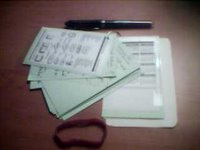
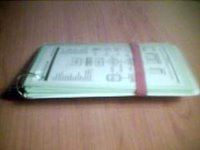
The transparent plastic on the front came from an old mouse pad that let you put pictures under a transparent screen, the flowchart is a simplified GTD reminder chart from D*I*Y Planner, and the back is decorative laminated card from the front of a notebook I am no longer using. You can just see a year's calendar stuck to one of the back index cards, that is just enough help for me to plan meetings with people, without actually requiring my full calendar in hardcopy.
Unlike my first version, this one is held together by a keyring loop that goes through holes punched in the cards and covers. I snipped off most of the loop so it is easy to slip cards on and off. This makes it a pretty standard Pierced Edition HipsterPDA.
The rubber band helps to hold it together (especially in my pocket) and also keeps the pen on the back. I've found that the key to getting the most out of GTD is to carry this with me everywhere as otherwise you end up keeping something in your head rather than out in your infallible system.
Future changes will include shifting from green cards to white ones, they still have the ruled lines running landscape (not portrait), but I can manage with that. I would like to make more use of the D*I*Y Planner's HipsterPDA templates - but I might need to wait for a index card printer first.
My first effort was a bit dismal (although functional). It was basically 10 or 12 index cards held together by a bulldog clip. It was enough to prove the concept for my satisfaction, and so I stayed up late one night scrounging bits of plastic, metal and card up and then whacking it together to form this:
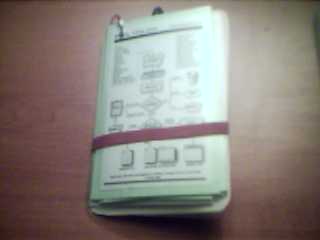

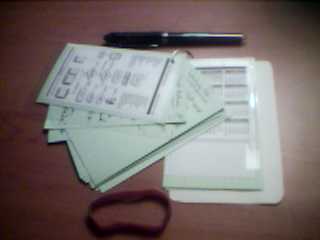

The transparent plastic on the front came from an old mouse pad that let you put pictures under a transparent screen, the flowchart is a simplified GTD reminder chart from D*I*Y Planner, and the back is decorative laminated card from the front of a notebook I am no longer using. You can just see a year's calendar stuck to one of the back index cards, that is just enough help for me to plan meetings with people, without actually requiring my full calendar in hardcopy.
Unlike my first version, this one is held together by a keyring loop that goes through holes punched in the cards and covers. I snipped off most of the loop so it is easy to slip cards on and off. This makes it a pretty standard Pierced Edition HipsterPDA.
The rubber band helps to hold it together (especially in my pocket) and also keeps the pen on the back. I've found that the key to getting the most out of GTD is to carry this with me everywhere as otherwise you end up keeping something in your head rather than out in your infallible system.
Future changes will include shifting from green cards to white ones, they still have the ruled lines running landscape (not portrait), but I can manage with that. I would like to make more use of the D*I*Y Planner's HipsterPDA templates - but I might need to wait for a index card printer first.
Saturday, January 01, 2005
Programming Fonts
On a lighter note, Coding Horror has an article about Progamming Fonts, giving a set of examples.
Personally I like the look of ProFont, so I'll give that a spin for a while.
[EDIT: I've investigated these and on reflection I really like Proggy Clean (slashed zeroes).]
Personally I like the look of ProFont, so I'll give that a spin for a while.
[EDIT: I've investigated these and on reflection I really like Proggy Clean (slashed zeroes).]
Subscribe to:
Posts (Atom)